
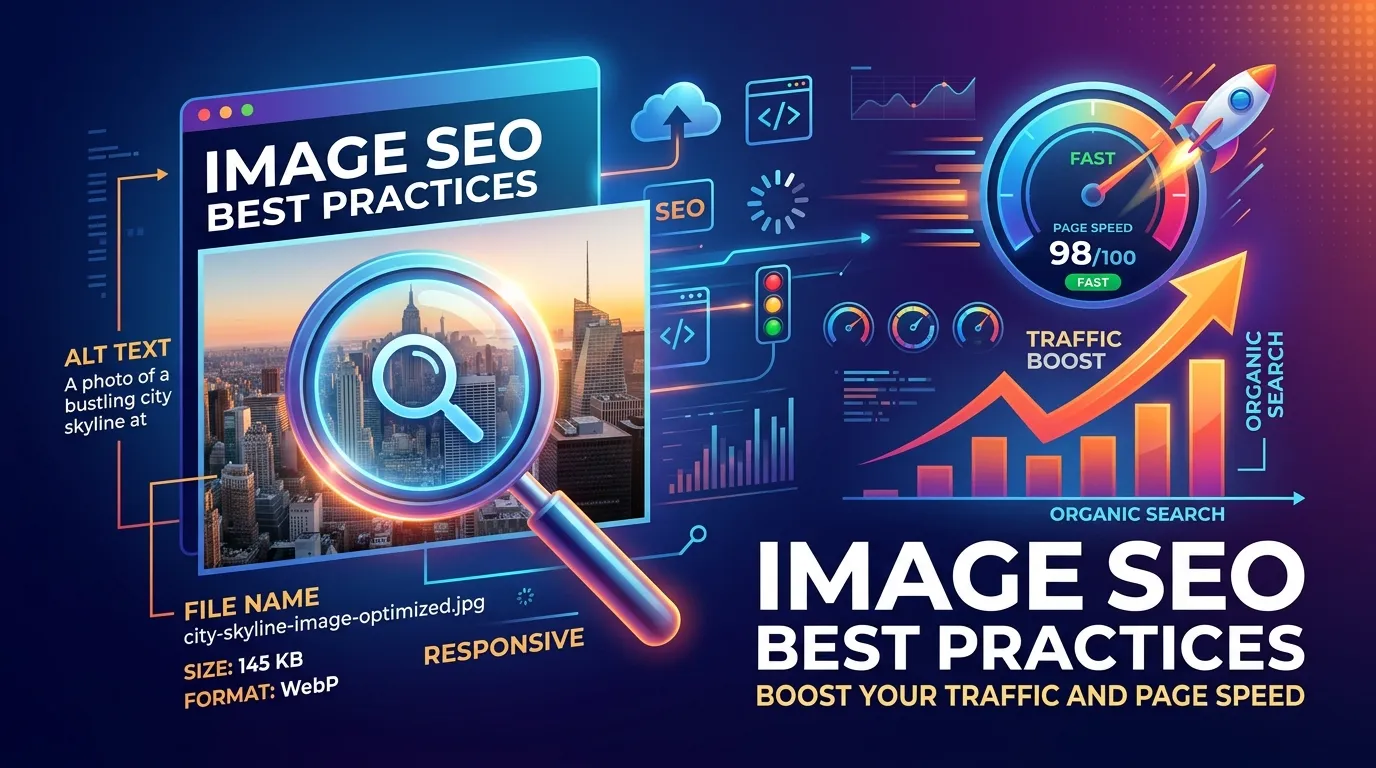
This guide explains image SEO best practices, including file naming, alt text optimization, compression, responsive design, lazy loading, and modern formats to improve website performance, accessibility, search rankings, and organic traffic through faster, optimized visual content.
Visuals play a massive role in how users experience your website. High-quality photos, graphics, and infographics grab attention and communicate complex ideas quickly. But search engines, however, cannot see these images the way humans do. They rely on specific text-based cues and technical signals to understand what a picture represents and how it relates to the surrounding content.
This is where applying image SEO best practices comes into play. Optimizing your visual content ensures that search engines can easily crawl, index, and rank your media. Doing this correctly can significantly improve your overall search visibility and bring more organic traffic to your site through image search results. By following image SEO best practices, you set your website up for long-term organic success.
Applying a few straightforward techniques allows you to make your website load faster, improve accessibility for all users, and secure a notable advantage over competitors who ignore their media assets. Throughout this guide, we will explore the core concepts of image optimization, alt text SEO, and website performance to help you build a robust visual strategy.
Understanding Image SEO: Why it Matters

Image SEO involves optimizing the visual elements on your website so search engines can read and index them accurately. When Google understands your media, those files have a much higher chance of appearing in Google Images and standard search results. Implementing image SEO best practices acts as a bridge between your visual creativity and search engine algorithms.
The Impact on Website Performance
Optimizing your media heavily influences page load times. Large, uncompressed files will slow down your website, leading to higher bounce rates and frustrated users. Search engines prioritize fast-loading pages, meaning optimized media directly contributes to your overall ranking potential. Poor image optimization often becomes a bottleneck for websites, especially as users’ attention spans shorten and expectations for instant access to content rise.
Lighter, optimized files translate to a smoother browsing experience for both customers and site administrators. By using smaller visual assets, your site can handle more simultaneous visitors, reducing the risk of timeouts or crashes during traffic surges. It’s also important to note that mobile users—which now make up the majority of web traffic worldwide—are particularly sensitive to load times, emphasizing the necessity of prioritizing image compression and responsive design throughout your pages.
Following image SEO best practices ensures you do not sacrifice speed for visual fidelity. When you compress files and use modern formats, you maintain crisp graphics while serving them rapidly to your visitors. Improving website performance through visual optimization is a highly effective way to satisfy both users and search algorithms.
The Accessibility Connection
Proper tagging makes your website accessible to visually impaired users who rely on screen readers. Alt text SEO ensures that everyone, regardless of their physical abilities, can consume your content. Prioritizing accessibility is not just about compliance; it aligns perfectly with fundamental image SEO best practices because search engines reward inclusive web design. Web accessibility isn’t just socially responsible—it also means more people can engage with your material, and search engines recognize this by rewarding accessible sites with greater visibility.
Emphasize using detailed descriptions for complex visuals like infographics, graphs, and process diagrams, as these provide additional context that’s invaluable for users relying on assistive tools. You’ll find that accessible images often perform better in “featured snippet” placements, increasing your reach even further.
Key Elements of Image SEO Best Practices
To get the most out of your visual content, you need to address several technical and descriptive components. Mastering these elements forms the foundation of proper image optimization. Each factor, though small, collectively determines the overall effectiveness of your SEO strategy.
Image File Names: Your First Signal
Search engines look at file names to gather initial context before they even process the surrounding page content. A file named “IMG_8675309.jpg” offers zero information to web crawlers.
File Naming Rules
Rename your files using clear, descriptive keywords before uploading them. Use hyphens to separate words, such as “wooden-dining-table.jpg,” which helps crawlers read the terms distinctly. Do not use underscores or spaces, as search engines often misread them. Including relevant keywords in the name without overdoing it can give an extra boost to your ranking. Make use of concise, yet informative file names—aim for clarity and avoid generic or lengthy titles that dilute your keyword focus. Applying this simple step is one of the most basic but crucial image SEO best practices.
Alt Text SEO: Crafting Descriptive Context
Alternative text (alt text) serves as a text replacement if a file fails to load due to connection issues. It also tells screen readers and search engines exactly what the image depicts.
Write a concise, accurate description of the visual. Include your target keyword naturally, but avoid keyword stuffing at all costs. A good example is “Golden Retriever puppy playing with a red ball in the park” rather than “dog puppy golden retriever red ball park.” Good alt text SEO provides value and context, adhering to core image SEO best practices.
Consider creating unique alt descriptions for each visual rather than copying and pasting the same phrase repeatedly. For charts or complex visuals, summarize the insight or value they deliver (e.g., “Bar graph showing a 25% increase in website traffic from 2022 to 2023”). This not only aids accessibility but also sets your content apart in the eyes of both users and search bots.
Image Compression and Speed Optimization
Heavy files ruin page speed. You must always compress your media before uploading it to your server. Compression reduces the file size without noticeably degrading the visual quality.
There are countless free and premium tools—like TinyPNG, ImageOptim, or Squoosh—for batch compressing images. Some WordPress plugins can automate compression, resizing, and even format conversion as you upload new visuals. Remember, each KB saved helps your pages load faster, enhance engagement, and minimize bounce rates.
This keeps your pages fast and your visitors happy. Using lossless or lossy compression depends on the specific image, but the goal remains the same: deliver the smallest file size possible while maintaining acceptable quality. This is a non-negotiable aspect of image SEO best practices.
Choosing the Right Image Format
Selecting the correct file type is crucial for balancing visual quality and website performance. Different formats serve different purposes, and choosing incorrectly can unnecessarily bloat your webpage.
Image Format Comparison Table
|
Format |
Best Used For |
Key Advantages |
SEO Impact |
|---|---|---|---|
|
JPEG |
Photographs, complex colors |
Small file sizes, universal support |
Excellent for standard web photos, keeps load times low. |
|
PNG |
Graphics, logos, transparent elements |
Crisp text, lossless quality |
Good for graphics but can lead to heavy file sizes if misused. |
|
WebP |
Both photographs and graphics |
Superior compression, modern standard |
Highly recommended by Google; maximizes website performance. |
|
SVG |
Vector graphics, icons |
Scales infinitely without quality loss |
Perfect for logos; extremely lightweight code-based graphics. |
Using the right format from this table is a central pillar of image SEO best practices, directly influencing your overall website performance.
Additional Considerations
Where possible, adopt modern formats like WebP for photographs and SVG for icons or simple decorative elements. Remember, Photos or graphics intended for print should be exported in their original high-resolution format and only optimized for the web version. If you are unsure which format to use, test each one’s effect on both speed and clarity. Modern CMSs often allow you to automate serving the right format based on user browser support.
Advanced Image SEO Best Practices

Once you master file names and alt text SEO, you can move on to technical implementations that further enhance your website’s crawlability and speed.
Responsive Images for All Devices
Your website must display media correctly across desktops, tablets, and smartphones. Implement responsive image attributes, like the srcset attribute in HTML, so the browser downloads the appropriately sized file based on the user’s screen size.
Mobile-first indexing now means Google will favor sites that adapt visuals and layouts for smaller screens. You should regularly check how your images display on popular mobile devices and tablets to catch any misalignment, stretching, or slow-loading issues. By supplying browser-specific images, you can improve the experience for every user, regardless of their device or Internet connection. Responsive design is a standard requirement for modern image SEO best practices.
Image Sitemaps: Guiding the Crawlers
An image sitemap provides search engines with a clear, direct map of all the visual content on your site. This is especially helpful if your site uses JavaScript galleries, pop-ups, or other setups where media might not be easily discoverable through standard crawling.
Generating an image sitemap can be automated with modern plugins or SEO tools. List every image URL and include relevant details, such as captions or geo-location data when appropriate. Submitting a dedicated image sitemap through Google Search Console guarantees that Google knows exactly where your important visuals live, satisfying advanced image SEO best practices.
Lazy Loading for Improved Performance
Lazy loading delays the downloading of images that are not immediately visible on the user’s screen. The browser only fetches the files as the user scrolls down the page and approaches the visual element.
This significantly speeds up the initial page load time and reduces server strain. Activating lazy loading is one of the most effective image SEO best practices for media-heavy websites. Native browser support for lazy loading (loading="lazy" attribute) now makes this technique even easier to implement. Not only will your site score better on speed audits, but visitors will experience nearly instant access to your content even when browsing image-rich product galleries or blogs.
If your site still feels sluggish after enabling lazy loading, check for unoptimized JavaScript or unnecessary plugins that might block rendering.
Measuring Website Performance
You cannot improve what you do not measure. Tracking the impact of your image optimization efforts helps you refine your strategy. You can track your success using Google Search Console by filtering your performance reports to see how many clicks your media generates.
Additionally, you should closely monitor your overall page speed scores through analytics platforms. Lighthouse, GTmetrix, and Google PageSpeed Insights allow you to isolate image-specific performance bottlenecks. Don’t just look at test scores in isolation—consider user experience, bounce rate, and average session time metrics alongside speed audits.
To properly evaluate your site’s speed, read about the essential website performance metrics you should be tracking. By monitoring these numbers, you ensure your image SEO best practices are delivering real results.
Revisit your image SEO efforts at regular intervals and keep up with changes in browser technology and Google’s ranking criteria so your website stays at peak performance.
Step-by-Step Guide to Implementing Image SEO Best Practices
Transforming your website’s media requires a systematic approach. Follow this checklist to implement image SEO best practices effectively across your entire domain.
- Audit Your Current Media: Identify the largest files on your site that need immediate optimization using speed testing tools.
- Rename Files Locally: Update the file names on your computer using descriptive terms and hyphens before uploading.
- Resize Dimensions: Scale the height and width to match your website’s maximum layout requirements.
- Compress the Files: Run the files through a compression tool to strip unnecessary data.
- Convert to WebP: Whenever possible, save your optimized files in the modern WebP format.
- Upload and Add Alt Text: Add the optimized files to your content management system (CMS) and write clear alt text SEO for each one.
- Enable Lazy Loading: Use a plugin or native browser attributes to activate lazy loading for off-screen media.
- Update Your Sitemaps: Ensure your XML sitemap includes your new media URLs and submit it to search engines.
Beyond these basics, schedule regular audits (aim for quarterly reviews). Stay up-to-date with evolving media standards and periodically refresh older images with new, optimized versions—especially for evergreen content that drives ongoing traffic.
Following these specific steps guarantees you are strictly adhering to proven image SEO best practices.
Common Image SEO Mistakes to Avoid
Many website owners unknowingly sabotage their rankings by making simple media errors. Avoid these common pitfalls to maintain strong website performance.
Uploading Raw Files
Uploading massive, raw files straight from a digital camera or stock photo site instantly harms page speed. These files are often several megabytes large and will severely penalize your loading times. Always compress and resize your files to align with image SEO best practices.
If you’ve inherited a site with large galleries, take time to back up the originals, then batch process and replace them using compression and resizing tools. Keep site backups up-to-date in case you need to revert.
Ignoring Alt Text SEO
Leaving alt text blank hurts accessibility and removes a critical ranking signal for search engines. Conversely, stuffing the alt attribute with irrelevant keywords looks spammy and can trigger search engine penalties. Write for humans first, and machines second.
Clickable images (like banners or call-to-action graphics) require context in the alt attribute, too—don’t leave it empty.
Burying Text Inside Graphics
Placing important text, such as headings or promotional details, inside a graphic rather than using HTML text prevents search engines from reading that information. Search crawlers cannot easily read text flattened into a JPEG. Always overlay HTML text onto your visuals to follow strict image SEO best practices.
When creating banners, ensure any crucial call-to-action (such as discount percentages or deadlines) also appears as selectable HTML. This way, it’s both digitally accessible and search-friendly.
Additional Image SEO Strategies

To take your strategy further, consider these advanced techniques that align with best practices:
- Structured Data Markup: Use schema.org/imageObject markup to help search engines better understand your images, improving the chance of rich results or image carousels.
- CDN Delivery: Serve your images via a Content Delivery Network (CDN) to speed up load times globally and distribute bandwidth demand. Many CDNs automatically convert and compress files for optimal delivery.
- Monitoring Image Copyright: Only use photos, illustrations, or vectors for which you have legal rights. Both duplicate content and copyright violations can result in ranking penalties or legal action.
Keep up with industry blogs, test new tools, and experiment with visual A/B testing to see how images influence engagement and conversion rates.
Take Action on Your Visual Content Today
Optimizing your website’s visual elements requires a bit of extra effort upfront, but the payoff in traffic, speed, and user experience is substantial. Start by auditing your most popular pages. Compress the heavy files, rewrite the alt text, and update the file names. By making image SEO best practices a standard part of your publishing routine, you will create a faster, more accessible, and highly searchable website.
Remember, consistent optimization is the secret to standing out in search results—especially as image search becomes a primary discovery tool on both desktop and mobile.
Frequently Asked Questions
What are image SEO best practices?
Image SEO best practices are strategies used to optimize visual content for search engines. This includes using descriptive file names, compressing file sizes, writing accurate alt text, and selecting modern file formats. These steps help your media rank higher and improve overall website speed.
Why is alt text SEO so important?
Alt text SEO provides textual context to search engines about what an image displays, as crawlers cannot “see” photos. It also acts as a crucial accessibility tool for visually impaired users who use screen readers. Writing descriptive, accurate alt text ensures your content is inclusive and optimized.
How does image compression affect website performance?
Image compression reduces the digital footprint of a visual file without destroying its quality. Smaller files load much faster in a user’s browser, which dramatically improves website performance and reduces bounce rates. Search engines actively reward fast-loading sites with better organic rankings.
What is the best format for web images?
The WebP format is currently considered the best option for modern web design due to its superior compression capabilities. It provides smaller file sizes than JPEGs and PNGs while maintaining excellent visual quality. Switching to WebP is a highly recommended step in current image SEO best practices.
Should I optimize every single image on my website?
Yes, you should optimize every image to ensure consistent website performance across all pages. Even small icons and background graphics can add up and slow down your site if left uncompressed. Applying image SEO best practices universally yields the best organic results.
How does lazy loading improve SEO?
Lazy loading prevents the browser from downloading images located far down the page until the user actually scrolls to them. This speeds up the initial page rendering time, passing Core Web Vitals assessments much easier. Fast rendering is a massive technical benefit for website performance.
Do image file names actually impact search rankings?
Yes, search engine crawlers read file names to gather immediate context about the media file before analyzing the rest of the page. A descriptive file name like “red-sports-car.jpg” provides clear value, unlike a generic string of camera numbers. This is a foundational rule of image SEO best practices.
Can I use too many keywords in my alt text?
Yes, keyword stuffing in your alt text looks unnatural and can result in search engine penalties for spam. Your alt text SEO strategy should focus on describing the image accurately while including your primary keyword only if it fits naturally. You can complement your visual strategy by checking out this guide on how to write the perfect SEO title to maximize your clicks.
Are image sitemaps necessary for all websites?
Image sitemaps are highly beneficial for sites with heavy visual content, e-commerce stores, or sites using complex JavaScript galleries. They ensure search engines discover all your media assets efficiently. For smaller blogs, standard XML sitemaps often suffice, but dedicated image sitemaps remain good image SEO best practices.
How do I know if my image SEO best practices are working?
You can track your progress by monitoring the “Image” search filter within your Google Search Console performance reports. An increase in clicks and impressions indicates that search engines are favoring your optimized media. Additionally, improved page speed scores will confirm your website performance is heading in the right direction.
