


This guide explains canonicalization SEO, canonical tags, and duplicate content management. It covers implementation methods, common mistakes, best practices, and technical SEO benefits to help search engines identify preferred URLs and improve rankings.
Search engines reward clean, well-organized websites. Yet many sites unknowingly confuse search engines by serving the same content through multiple URLs. This is where canonicalization SEO steps in to save the day. When you master this concept, you help search engines understand exactly which version of a page deserves to rank.
In this guide, you’ll learn what canonicalization SEO really means, why it matters for your rankings, and how to use canonical tags correctly. We’ll cover the common duplicate content problems that hurt sites, walk through real implementation scenarios, and share practical tips you can apply right away. By the end, you’ll know how to signal your preferred URLs with confidence and avoid the mistakes that quietly drain your search performance.
Whether you run a small blog or manage a large online store, these lessons apply directly to your work.
What Is Canonicalization SEO?
Canonicalization SEO is the process of telling search engines which URL you want them to treat as the main, authoritative version of a page. When the same or very similar content appears at multiple addresses, search engines must pick one to index and rank. Canonicalization lets you guide that choice instead of leaving it to chance.
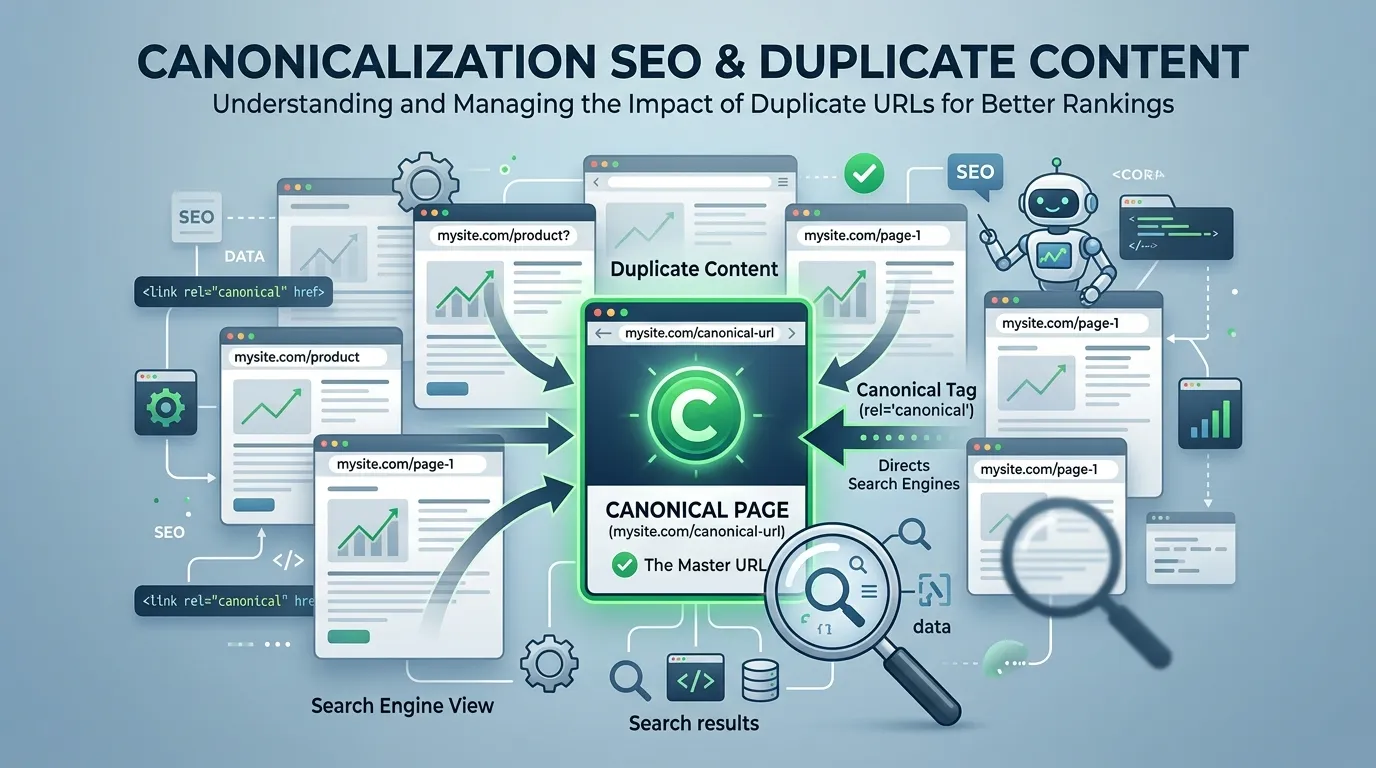
Think of it as pointing a finger at your preferred page and saying, “This one counts.” Without that signal, search engines guess. Sometimes they guess wrong, splitting your ranking signals across several URLs and weakening all of them.
A “canonical” URL is simply the version you consider the master copy. Every other version that shows the same content should point back to it. This keeps your site tidy in the eyes of Google, Bing, and other search engines.
Why Canonicalization Matters for Rankings
When multiple URLs show the same content, your link equity and ranking signals get divided. One page might earn three backlinks while a duplicate earns two. Instead of one strong page with five links, you end up with two weaker pages. Canonicalization SEO fixes this by consolidating those signals onto a single URL.
This consolidation brings several clear benefits:
- Stronger ranking signals. All backlinks and authority flow to one page.
- Cleaner indexing. Search engines index the right version, not duplicates.
- Better crawl efficiency. Bots spend their time on pages that matter.
- Clearer analytics. You track performance on one URL instead of many.
These gains add up. A site with proper canonicalization simply performs better in search than one riddled with confused, competing URLs.
How Search Engines Handle Duplicate URLs
Search engines crawl your site and group URLs that show identical or near-identical content. They then choose one URL as the canonical version, even if you never set one yourself. This automatic choice is called a “Google-selected canonical,” and it may not match your preference.
When you provide a clear signal, search engines usually respect it. They treat your chosen URL as canonical and pass ranking signals to it. This is why active canonicalization beats leaving the decision to algorithms that can’t read your mind.
Understanding Duplicate Content SEO Problems
Duplicate content SEO issues sit at the heart of why canonicalization exists. Duplicate content means the same or very similar text appears at more than one URL on the web. While it rarely triggers a direct penalty, it does dilute your ranking power and confuse search engines.
Most duplicate content happens by accident. Website platforms, tracking parameters, and printer-friendly pages all create extra URLs without anyone noticing. Understanding these sources helps you spot and fix problems before they hurt your rankings.
Common Causes of Duplicate Content
Duplicate content SEO problems often come from technical quirks rather than copied writing. Here are the most frequent culprits:
- URL parameters. Tracking codes and filters create variations like
?utm_sourceor?color=blue. - HTTP and HTTPS versions. A site accessible on both protocols doubles every URL.
- WWW and non-WWW.
www.site.comandsite.comcan both serve the same page. - Trailing slashes.
/pageand/page/may load identical content. - Session IDs. Some systems append unique IDs to URLs for each visitor.
- Printer-friendly pages. Separate print versions duplicate the main content.
- Pagination and sorting. Sorted or paginated lists often repeat content.
Each of these creates a URL that search engines might treat as separate. Without canonicalization SEO, your ranking signals scatter across all of them.
Internal Versus External Duplicate Content
Duplicate content comes in two flavors. Internal duplication happens within your own site, like the parameter and protocol issues above. External duplication happens when your content appears on other websites, often through syndication or scraping.
Both types benefit from canonical tags. For internal duplicates, you point all versions to your preferred URL. For syndicated content on partner sites, a canonical tag pointing back to your original page helps you keep the ranking credit. This protects your hard work from being outranked by copies.
What Is a Canonical Tag in SEO?
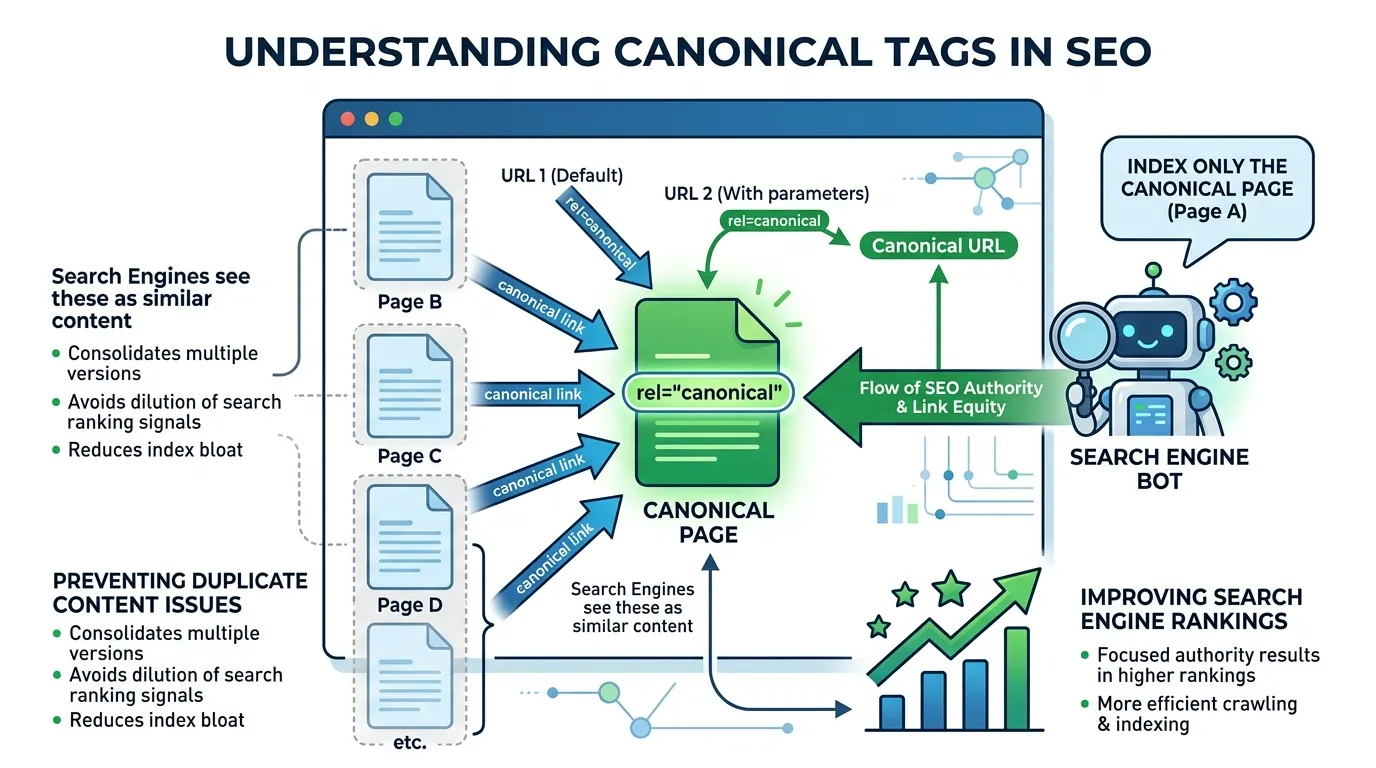
A canonical tag is a small piece of HTML code that tells search engines which URL is the master version of a page. It lives in the <head> section of your page and uses the rel="canonical" attribute. This single line of code does the heavy lifting of canonicalization SEO.
The canonical tag looks like this:
<link rel="canonical" href="https://example.com/preferred-page" />
When search engines find this tag, they understand that the current page is a copy and the linked URL is the original. They then consolidate ranking signals onto that preferred address. Canonical tag SEO is one of the cleanest, most reliable ways to manage duplicates.
How the Canonical Tag Works
The canonical tag acts as a hint, not a strict command. Search engines usually honor it, but they may ignore it if your signals conflict or if the chosen page seems wrong. For best results, your canonical tags should align with your sitemaps, internal links, and redirects.
You can place a canonical tag in two main ways. The first is directly in the HTML head of each page. The second uses an HTTP header, which works well for non-HTML files like PDFs. Both methods achieve the same goal of pointing search engines to your preferred URL.
Self-Referencing Canonical Tags
A self-referencing canonical tag points a page to itself. This might sound pointless, but it’s a smart canonical tag SEO practice. It tells search engines clearly which URL you prefer, even when parameters or other variations exist.
For example, your page at https://example.com/shoes can include a canonical tag pointing to that exact URL. If someone visits https://example.com/shoes?ref=newsletter, the self-referencing canonical still points back to the clean version. This habit prevents many parameter-based duplicate issues before they start.
Canonicalization Scenarios and How to Handle Them
Different situations call for different canonicalization choices. Knowing which approach fits each scenario keeps your site clean and your rankings strong. The table below compares common cases and the recommended solution for each.
|
Scenario |
Problem |
Recommended Solution |
Why It Works |
|---|---|---|---|
|
HTTP and HTTPS duplicates |
Same page on two protocols |
301 redirect to HTTPS |
Permanently consolidates to the secure version |
|
WWW vs non-WWW |
Two domain versions |
301 redirect to preferred |
Sets one clear home for all pages |
|
URL parameters |
Tracking codes create variants |
Canonical tag to clean URL |
Keeps signals on the main page |
|
Syndicated content |
Content republished elsewhere |
Canonical pointing to original |
Protects ranking credit for your site |
|
Similar product pages |
Near-identical variations |
Canonical to main product |
Avoids splitting product authority |
|
Paginated content |
Page 2, 3, and so on |
Self-referencing canonicals |
Lets each page rank on its own merit |
|
Mobile and desktop URLs |
Separate m. subdomain |
Canonical plus alternate tags |
Links the two versions correctly |
Use this table as a quick reference when you audit your site. Each scenario has a proven fix, so you rarely need to guess.
When to Use a Canonical Tag Versus a Redirect
Choosing between a canonical tag and a 301 redirect confuses many people. The rule is simpler than it seems. Use a redirect when you want users and search engines to land on the new URL every time. Use a canonical tag when users still need access to the duplicate page.
For example, redirect old HTTP pages to HTTPS because nobody needs the insecure version. But use a canonical tag for filtered product pages, since shoppers still want to use those filters. The page stays live for users while the ranking signal flows to your main URL.
Handling Cross-Domain Duplicates
Sometimes you publish content on multiple domains you own, or partners republish your work. Cross-domain canonical tags solve this neatly. You place a canonical tag on the duplicate page pointing to the original on your main domain.
This tells search engines that your domain holds the authoritative version. The republished copy stays useful for that site’s readers, while you keep the ranking power. It’s a win for everyone involved and a core part of smart canonicalization SEO.
Best Practices for Implementing Canonical Tags
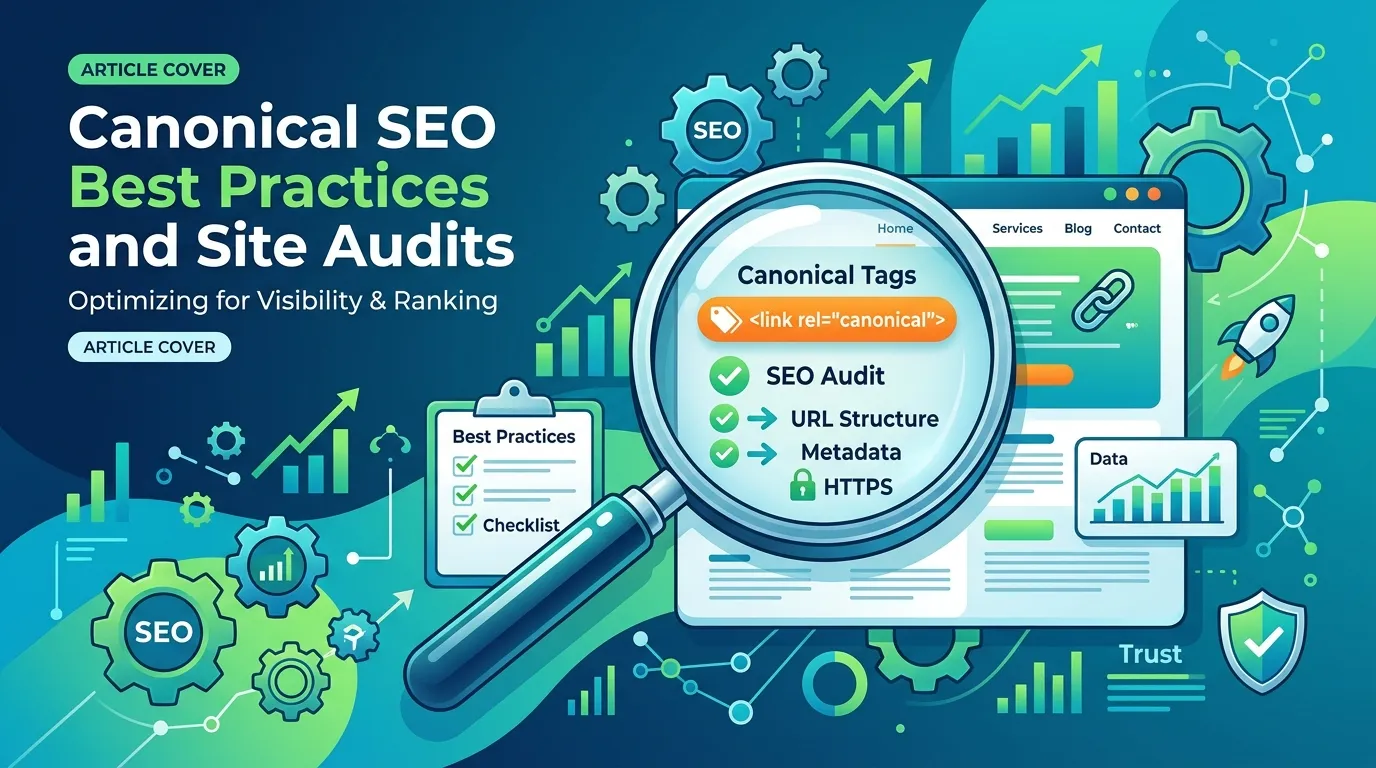
Getting canonicalization right takes care and consistency. Small errors can send the wrong signals and undo your work. Following proven SEO best practices keeps your implementation clean and effective.
Use Absolute URLs
Always write your canonical tags with full, absolute URLs rather than relative paths. An absolute URL includes the protocol and domain, like https://example.com/page. A relative URL like /page can confuse crawlers and lead to mistakes. This habit removes ambiguity and follows established SEO best practices.
Keep Canonicals Consistent
Your canonical tags should match your other signals. Make sure they align with your XML sitemap, internal links, and any redirects. When all these signals agree, search engines trust your chosen canonical and act on it. Conflicting signals weaken the tag’s power and may cause it to be ignored.
Point to Live, Indexable Pages
A canonical tag should always point to a page that returns a 200 status code and stays open to indexing. Never point a canonical to a redirected, blocked, or broken page. Doing so sends mixed messages and wastes the signal. This rule sits firmly within canonical tag SEO fundamentals.
Avoid Canonical Chains
A canonical chain happens when page A points to B, and B points to C. This forces search engines to follow multiple hops, which weakens the signal. Always point duplicates directly to the final preferred URL. Keep the path short and clear for the best results.
One Canonical Per Page
Each page should have exactly one canonical tag. Multiple canonical tags on a single page create confusion, and search engines often ignore all of them. Audit your templates to make sure no plugin or theme adds a second tag by accident.
Learning Broader SEO Best Practices
Canonicalization is one piece of a much larger SEO picture. To rank well, you also need strong content, healthy site speed, smart internal linking, and quality backlinks. Building this wider knowledge helps you see how canonicalization fits into your overall strategy.
For readers who want a thorough grounding in the full range of techniques that improve search performance, the resource below offers a clear, well-organized overview.
SEO Best Practices Hub studying broader SEO best practices alongside canonicalization gives you the context to make better decisions. When you understand how indexing, crawling, and ranking connect, your canonical choices become far more intentional and effective.
Connecting Canonicalization to Technical SEO
Canonicalization lives within the technical SEO category, alongside crawling, indexing, and site architecture. These elements work together. A clean URL structure makes canonicalization easier, while proper canonicals improve crawl efficiency.
When you treat these areas as connected rather than separate, your site grows stronger overall. Search engines reward sites that send clear, consistent signals across every technical layer.
Common Canonicalization Mistakes to Avoid
Even experienced teams make canonicalization errors. Spotting these mistakes early saves you from ranking trouble. Watch out for these frequent pitfalls.
- Pointing canonicals to the wrong page. Always double-check that the target is your true preferred URL.
- Mixing canonicals with noindex. Using both on the same page sends conflicting signals.
- Canonicalizing to redirected URLs. This creates messy chains that weaken the signal.
- Forgetting self-referencing tags. Pages without them are more prone to parameter duplicates.
- Using relative URLs. These can confuse crawlers and break your intended signal.
- Blocking canonical targets in robots.txt. Crawlers can’t honor a canonical they can’t reach.
- Ignoring canonicals across CMS templates. Themes and plugins sometimes add wrong tags automatically.
Each of these mistakes undermines your canonicalization SEO efforts. A regular audit catches them before they cause lasting harm.
How to Audit Your Canonical Tags
Regular audits keep your canonicalization healthy. Start by crawling your site with an SEO tool that reports canonical tags. Look for pages with missing, duplicate, or conflicting tags. Then check that each canonical points to a live, indexable URL.
Next, compare your canonicals against your sitemap and internal links. They should all agree. Finally, review your search console reports for any “Google-selected canonical” warnings, which signal that search engines disagreed with your choice. Fixing these aligns your site with proven SEO best practices.
Step-by-Step Canonicalization Checklist
Use this practical checklist whenever you set up or review canonicalization on a site. It walks you through the key steps in order.
- Identify duplicate content. Crawl your site and list URLs serving similar content.
- Choose your preferred URLs. Decide which version should rank for each set of duplicates.
- Add canonical tags. Place a single, absolute canonical tag in each page’s head.
- Use self-referencing canonicals. Add them to main pages to lock in your preference.
- Set up redirects where needed. Use 301s for protocol and domain consolidation.
- Align your signals. Match canonicals with sitemaps, internal links, and redirects.
- Test your implementation. Use search console and crawlers to verify everything works.
- Monitor over time. Re-audit regularly to catch new duplicates as your site grows.
Following these steps in order gives you a clean, reliable canonicalization setup. It turns a confusing topic into a repeatable process you can trust.
Canonicalization for Different Site Types
The way you apply canonicalization shifts a bit depending on your site. Each type faces its own duplicate content challenges, so tailoring your approach pays off.
Ecommerce Sites
Online stores generate huge numbers of duplicate URLs through filters, sorting, and product variations. A red and blue version of the same shirt often share nearly identical pages. Use canonical tags to point variations toward a main product page. This consolidates authority and stops your product pages from competing with each other.
Blogs and Content Sites
Blogs create duplicates through tag pages, category archives, and pagination. Author archives and date-based pages can also repeat content. Apply self-referencing canonicals to your main articles, and consider canonicalizing thin archive pages to richer hub pages where it makes sense.
News and Syndication Sites
News sites often syndicate articles across partners. Cross-domain canonical tags protect your original content here. When a partner republishes your story, a canonical pointing to your version keeps the ranking credit with you. This is essential for publishers who share content widely.
How Canonicalization Affects Your SEO Strategy
Canonicalization shapes how search engines understand and rank your entire site. When done well, it focuses your authority, sharpens your indexing, and improves your crawl budget. These benefits ripple through your whole SEO strategy.
A site with clean canonicalization tends to rank more reliably. Its signals point in one clear direction rather than scattering. This focus helps individual pages climb higher than they would in a confused, duplicate-heavy setup.
The Link Between Canonicalization and Crawl Budget
Search engines allocate a limited crawl budget to each site. When bots waste time crawling endless duplicate URLs, they have less time for your important pages. Canonicalization SEO directs crawlers toward your preferred URLs, making your crawl budget work harder.
This matters most for large sites with thousands of pages. By trimming duplicate crawling, you help search engines find and index your fresh, valuable content faster. The result is better visibility for the pages you care about.
Canonicalization and User Experience
Clean canonicalization also supports a better user experience indirectly. When search engines index your preferred URLs, visitors land on the right, polished version of each page. They avoid messy parameter URLs or thin duplicate pages. This consistency builds trust and keeps people on your site longer.
Frequently Asked Questions
What is canonicalization SEO in simple terms?
Canonicalization SEO is the practice of telling search engines which URL is the main version of a page when duplicates exist. It uses signals like canonical tags to consolidate ranking power onto one preferred URL. This stops your authority from splitting across several pages. The result is cleaner indexing and stronger rankings for the pages you choose.
How is a canonical tag different from a 301 redirect?
A canonical tag suggests your preferred URL while keeping the duplicate page accessible to users. A 301 redirect permanently sends both users and search engines to a new URL. Use canonical tag SEO when the duplicate still serves a purpose, like filtered product pages. Use redirects when the old page should disappear entirely.
Does duplicate content cause a Google penalty?
Duplicate content rarely triggers a direct penalty in most cases. Instead, it dilutes your ranking signals and confuses search engines about which page to rank. This usually means lower visibility rather than punishment. Solving duplicate content SEO issues with canonical tags helps consolidate your authority and improve performance.
Should every page have a canonical tag?
Most pages benefit from a self-referencing canonical tag pointing to their own clean URL. This habit prevents parameter-based duplicates and clarifies your preferences. Pages that are clear duplicates should point their canonical to the main version instead. Following this practice keeps your canonicalization consistent across the whole site.
What happens if I point a canonical to the wrong page?
Pointing a canonical to the wrong page can cause search engines to index and rank a page you didn’t intend. Your real target page may lose visibility as a result. This is a common canonical tag SEO mistake worth checking carefully. Always verify that each canonical points to your true preferred URL.
Can I use canonical tags across different domains?
Yes, cross-domain canonical tags work well for syndicated or republished content. You place the tag on the duplicate page pointing to the original on your main domain. This tells search engines where the authoritative version lives. It protects your ranking credit while still letting partners share your content.
Do search engines always obey canonical tags?
Search engines treat canonical tags as strong hints rather than strict commands. They usually honor them when your signals are clear and consistent. However, they may ignore a canonical if it conflicts with sitemaps, redirects, or internal links. Aligning all your signals following SEO best practices improves the odds they obey.
How do canonical tags help with URL parameters?
URL parameters like tracking codes and filters create many duplicate versions of a page. A canonical tag pointing to the clean base URL consolidates those variations. This keeps your ranking signals on the main page rather than scattering them. It’s one of the most useful applications of canonicalization SEO.
Can I combine a canonical tag with a noindex tag?
Combining canonical and noindex tags on the same page sends conflicting signals and is not recommended. The canonical says “consolidate to this page,” while noindex says “remove this page.” Search engines struggle to reconcile these messages. Choose one approach based on whether you want the page indexed or merged.
How often should I audit my canonical tags?
Regular audits keep your canonicalization healthy, especially as your site grows. A good rule is to review canonical tags every few months or after major site changes. Use crawling tools and search console reports to spot conflicts. Frequent checks align your site with SEO best practices and catch new duplicates early.
What is a self-referencing canonical tag?
A self-referencing canonical tag points a page to its own clean URL. While it may seem redundant, it clearly signals your preferred version to search engines. This protects the page from parameter-based or session-based duplicates. It’s a simple, reliable canonical tag SEO habit that prevents many common problems.
Does canonicalization affect my crawl budget?
Yes, canonicalization helps search engines spend your crawl budget wisely. When bots avoid crawling endless duplicate URLs, they focus on your important pages instead. This matters most for large sites with many pages. Proper canonicalization SEO directs crawlers efficiently and helps fresh content get indexed faster.
Conclusion
Canonicalization SEO turns a confusing tangle of duplicate URLs into a clean, focused site that search engines understand. By choosing preferred URLs and signaling them with canonical tags, you consolidate your ranking power and improve your visibility across the board. The payoff shows up in stronger rankings, smarter crawling, and clearer analytics.
Start by auditing your site for duplicate content today. Identify your preferred URLs, add consistent canonical tags, and align them with your sitemaps and redirects. Then schedule regular reviews to catch new issues as your site grows. With these habits in place, you’ll keep your canonicalization clean and your search performance steady for the long run.
